The Pro Tools Certification Path: Courses, Exams, and Online Training
Key Takeaways
- The current Avid Pro Tools certification path progresses from Specialist to Professional and then Expert credentials.
- The entry-level Avid Certified Specialist: Pro Tools credential requires PT101, PT110, and a separate Specialist certification exam.
- After earning the Specialist credential, students can follow a Music or Post Production pathway through PT201 and the appropriate PT210 course.
- Completing a course assessment is not the same as passing an Avid certification exam.
- Online Pro Tools training can be convenient, but certification candidates should verify that their program follows the official Avid Learning Partner pathway.
What is the correct Pro Tools certification path? It begins with foundational training, continues into a workflow-specific professional credential, and can eventually lead to expert-level certification.
That sounds simple, but searching for Pro Tools certification online can quickly become confusing. You may encounter older titles, individual course certificates, self-paced tutorials, and programs that teach Pro Tools without providing a route to an official Avid credential.
This guide explains the current certification ladder, the courses associated with each level, how online training fits into the process, and what to verify before enrolling.
What Is Avid Pro Tools Certification?
Avid certification is a formal credential designed to validate a user’s knowledge and operational ability with Pro Tools. It is different from simply completing a general training course or watching a collection of tutorials.
Depending on the credential, certification can demonstrate that a candidate understands how to:
- Create, configure, and organize Pro Tools sessions
- Record and edit audio and MIDI
- Route signals and manage session resources
- Use plugins, automation, and mixing tools
- Complete professional music or post-production workflows
- Work efficiently in demanding production environments
Avid currently organizes its main Pro Tools user credentials into three levels: Specialist, Professional, and Expert. Students may also encounter specialized certifications for game audio, Avid S6 control surfaces, Dolby Atmos, and technical support.
The Current Pro Tools Certification Path
| Certification Level | Required Training | Primary Focus |
|---|---|---|
| Avid Certified Specialist: Pro Tools | PT101 + PT110 + Specialist exam | Core recording, editing, MIDI, mixing, and session skills |
| Avid Certified Professional: Pro Tools | Music | Specialist credential + PT201 + PT210M + Professional exam | Professional music-production workflows |
| Avid Certified Professional: Pro Tools | Post | Specialist credential + PT201 + PT210P + Professional exam | Film, television, and audio post-production workflows |
| Avid Certified Expert: Pro Tools | Music | Music Professional credential + PT310M + Expert exams | Advanced music production with Pro Tools Ultimate and HD systems |
| Avid Certified Expert: Pro Tools | Post | Post Professional credential + PT310P + Expert exams | Advanced post-production, interoperability, and delivery workflows |
Course availability, delivery methods, exam policies, and credential names can change. Confirm current requirements with Avid or an official Avid Learning Partner before enrolling.
Step 1: Build the Foundation with PT101
Pro Tools Fundamentals I (PT101)
PT101 is the starting point for the standard Pro Tools certification path. No previous Pro Tools experience is required, although basic familiarity with computers, recording concepts, microphones, MIDI, and audio interfaces is helpful.
The course introduces the workflow required to complete a basic project from session setup through final mixdown. Typical subjects include:
- Creating and configuring sessions
- Navigating the Pro Tools interface
- Recording and importing audio and MIDI
- Using Edit modes and tools
- Arranging material on tracks
- Applying basic processing
- Building and exporting a mix
Avid currently lists PT101 as approximately 14 hours through Avid Learning Central eLearning or 16 hours in an instructor-led format. Academic programs may teach the same competencies across a longer term so students can develop supporting audio knowledge at the same time.
Step 2: Develop Intermediate Skills with PT110
Pro Tools Fundamentals II (PT110)
PT110 expands the foundation established in PT101. Students move beyond basic sessions and begin working with the tools needed to manage more involved recording, editing, MIDI, and mixing projects.
Topics can include:
- Hardware and software configuration
- Input and output routing
- Loop recording and managing multiple takes
- Virtual instruments and MIDI workflows
- Elastic Audio
- Clip-based editing
- Signal processing and submixes
- Track groups and automation
- Working with video and sound effects
Avid currently lists PT110 as approximately 20 hours of eLearning or 24 hours of instructor-led study. PT101 and PT110 together provide the training foundation for the Avid Certified Specialist: Pro Tools exam.
Step 3: Take the Specialist Certification Exam
Completing PT101 and PT110 does not automatically make someone Avid Certified. To earn the Avid Certified Specialist: Pro Tools credential, a candidate must complete the required coursework and projects through an official Avid Learning Partner and pass the associated Specialist certification exam.
Avid describes the current Specialist exam as a 50-question, 60-minute exam. Question formats may include multiple choice, multiple select, matching, interface illustrations, and fill-in-the-blank items. Reference materials are not permitted during the exam.
The Specialist credential validates the ability to use Pro Tools to record, edit, mix, and output a project using fundamental operational skills.
Course Assessments vs. Certification Exams
This is one of the most important distinctions for anyone researching Pro Tools certification online.
Avid separates course assessments from certification exams:
- Course assessments measure knowledge from an individual course, such as PT101 or PT110.
- Certification exams evaluate the broader collection of skills associated with a complete credential pathway.
Passing an individual course assessment may appear in a student’s Avid learning transcript, but it does not by itself issue the Specialist or Professional credential. For example, the Specialist certification exam covers material associated with both PT101 and PT110.
Before enrolling in an online Pro Tools course, ask whether it provides:
- Official Avid curriculum
- Training through an authorized Avid Learning Partner
- Required projects and exercises
- Course assessments
- Eligibility for the separate certification exam
- The exam itself or only preparation for it
Step 4: Choose a Professional Path
After earning the Specialist credential, students can move into a workflow-specific Professional pathway. The two primary choices are Music and Post Production.
Avid Certified Professional: Pro Tools | Music
The Music pathway is designed for producers, recording engineers, mixers, musicians, and other professionals working with music sessions.
The pathway requires:
- Avid Certified Specialist: Pro Tools
- PT201 Pro Tools Production I
- PT210M Pro Tools Production II (Music Production)
- The associated Professional certification exam
PT210M reinforces earlier coursework through music-specific projects. Students work with advanced recording, MIDI, tempo, editing, playlists, Beat Detective, session data, automation, stems, and final delivery techniques.
Avid Certified Professional: Pro Tools | Post
The Post pathway is designed for audio professionals working with film, television, dialogue, sound effects, Foley, and other audio-for-picture workflows.
The pathway requires:
- Avid Certified Specialist: Pro Tools
- PT201 Pro Tools Production I
- PT210P Pro Tools Production II (Post Production)
- The associated Professional certification exam
PT210P focuses on areas such as video, field-recorder workflows, dialogue editing, Foley, asset management, synchronization, and creating professional deliverables.
Step 5: Continue to Expert Certification
The Expert credentials represent Avid’s advanced Pro Tools user pathways. Candidates must first earn the Specialist credential and the appropriate Music or Post Professional credential.
Avid Certified Expert: Pro Tools | Music
Music candidates complete PT310M Advanced Music Production Techniques and then pass the Expert certification requirements. The course focuses on advanced operation of Pro Tools Ultimate with HD-series hardware in professional music environments.
Avid Certified Expert: Pro Tools | Post
Post candidates complete PT310P Advanced Post Production Techniques and the associated Expert certification requirements. The curriculum addresses advanced post workflows, system configuration, interoperability, automation, Foley, mixing, and delivery.
Avid states that its Expert exams include both a live practical component and a knowledge-based exam. This means candidates must demonstrate efficient operation of the software, not simply memorize terminology.
What About Avid S6 Certification?
Avid S6 is a separate advanced certification route focused on operating the S6 control surface. It is most relevant to engineers working in larger professional music and post-production facilities. The path includes specialized S6 courses after candidates have developed the necessary Pro Tools foundation and workflow-specific skills.
Can You Complete Pro Tools Certification Online?
Online Pro Tools training can provide a flexible way to learn the software, complete assignments, and prepare for certification. Avid lists eLearning options for several courses, and some official Avid Learning Partners deliver approved training online or through blended formats.
However, the phrases online Pro Tools course and Pro Tools certification online should not automatically be treated as the same thing.
A course may fall into one of several categories:
- A general tutorial that teaches useful Pro Tools skills
- A course that provides a certificate of completion
- Official Avid courseware delivered online
- A complete Learning Partner pathway that leads to certification-exam eligibility
All four can be valuable, but only the approved certification pathway leads to an official Avid credential.
How to Choose Pro Tools Online Training
Before paying for an online program, review more than the course title. Ask the provider the following questions:
Is the school an official Avid Learning Partner?
Official partner status matters because Avid ties its certification coursework and exams to approved Learning Partners.
Which course numbers are included?
A clearly defined program should identify whether you are taking PT101, PT110, PT201, PT210M, PT210P, or another official course.
Does the program lead to an Avid certification exam?
Do not assume that a course assessment or certificate of completion equals certification. Ask which certification exam, if any, you will be eligible to take.
Will you receive instructor feedback?
Pro Tools is a practical skill. Feedback on recording, editing, routing, session organization, and mixing can help students correct inefficient habits before those habits become permanent.
Are projects included?
A strong program should require students to complete sessions and solve realistic production problems. Employers and clients ultimately care about what you can do, not only what terminology you recognize.
Does the curriculum support your career goal?
A producer may benefit most from the Music pathway, while someone interested in film, television, dialogue, or sound design may prefer the Post route.
Is Pro Tools Certification Worth It?
Certification cannot guarantee employment, and it does not replace creativity, communication, critical listening, or real production experience. It can, however, provide a structured learning path and a recognized way to demonstrate verified software knowledge.
Potential benefits include:
- A clear sequence of skills to learn
- Training based on standardized course objectives
- A credential that can supplement a résumé or portfolio
- More confidence when entering professional sessions
- A foundation for advanced Music, Post, S6, or technical training
- Optional visibility through Avid’s certification directory
The strongest candidates combine certification with finished projects, dependable studio habits, musical judgment, and the ability to work well with artists and production teams.
How Long Does Pro Tools Certification Take?
The timeline depends on the delivery format and the student’s experience. Avid Learning Partners may offer intensive courses over several days, while colleges may spread the same material across an academic term so students can develop broader recording and production skills.
A new producer should avoid treating the process as a race. The real objective is to build reliable workflows that hold up under pressure.
Does Pro Tools Certification Expire?
Avid states that Pro Tools user certifications do not expire. The credential is tied to a particular version of Pro Tools. Certified users may choose to take an update exam when moving to a newer software version.
Because software and certification policies can change, certified users should periodically review Avid’s current update options.
Learning Pro Tools at AIMM
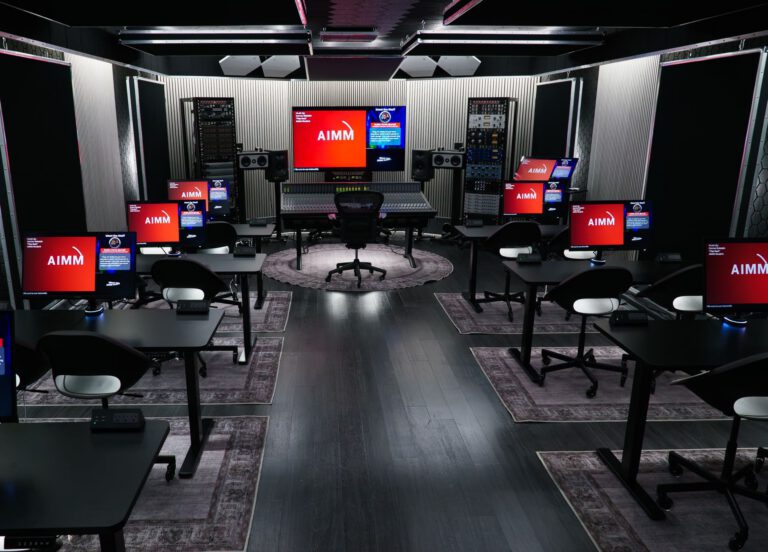
Atlanta Institute of Music and Media is an official Avid Training Partner. AIMM’s music-production curriculum combines Pro Tools instruction with recording, editing, mixing, MIDI, acoustics, critical listening, and portfolio development.
The Online Music Production Certificate includes Pro Tools 101 and Pro Tools 110 within a broader 36-credit production curriculum. Selected courses may be available asynchronously, allowing students to develop their skills through a structured online program.
Eligible AIMM students can pursue Avid certification opportunities while receiving instruction, assignments, and feedback that connect the software to complete production workflows.
You can also compare AIMM’s music college programs or explore all available music certificate programs.
Frequently Asked Questions About Pro Tools Certification
What is the first official Pro Tools certification?
The standard entry credential is Avid Certified Specialist: Pro Tools. Candidates complete PT101 and PT110 through an official Avid Learning Partner and pass the Specialist certification exam.
Is PT101 a Pro Tools certification?
No. PT101 is the first course in the certification path. Completing PT101 alone does not grant the Avid Certified Specialist credential.
Do I need both PT101 and PT110?
Yes, both courses are part of the standard training path for the Avid Certified Specialist: Pro Tools credential.
Can I take an online Pro Tools course for credit?
Some colleges and official training partners offer online Pro Tools courses for academic credit. Confirm the credit value, transfer policy, course number, delivery format, and certification-exam eligibility with the school before enrolling.
Is a certificate of completion the same as Avid certification?
No. A provider may issue a certificate showing that you completed its course. Official Avid certification requires the approved pathway and the relevant certification exam.
Should I choose Pro Tools Music or Post certification?
Choose Music if you want to focus on recording artists, producing songs, editing performances, and mixing music. Choose Post if you want to work with dialogue, sound effects, Foley, film, television, and audio for picture.
Can certification help me get a studio job?
Certification can strengthen a résumé by providing evidence of verified Pro Tools knowledge, but employers may also evaluate experience, reliability, listening ability, speed, communication, and the quality of your work.
Final Thoughts on the Pro Tools Certification Path
The clearest route begins with PT101 and PT110, followed by the Avid Certified Specialist exam. From there, students can advance through the Music or Post Professional path and, if their goals require it, continue to an Expert credential.
Online training can make that journey more flexible, but the program should match the official Avid requirements if certification is the goal. Verify the provider, course numbers, required projects, exam eligibility, and credential before enrolling.
Most importantly, use the certification path to build real working skills. The credential is valuable, but the ability to organize a session, solve problems, communicate with collaborators, and complete professional work is what turns training into a career.
Featured Posts
The Pro Tools Certification Path: Courses, Exams, and Online Training
How to Make Music on a Chromebook: Software and Setup Guide
Best Music Studio App for iPhone & Android